
January 6, 2026

I Shared a Ticket but the Person Never Got It.

Follow the steps below to find your shared ticket information and assist your recipient in locating the ticket you sent them.
*Confirm the email you shared it to is spelled correctly. If it is correct then ask the recipient to check their spam/promotion folders*
Finding your shared ticket information:
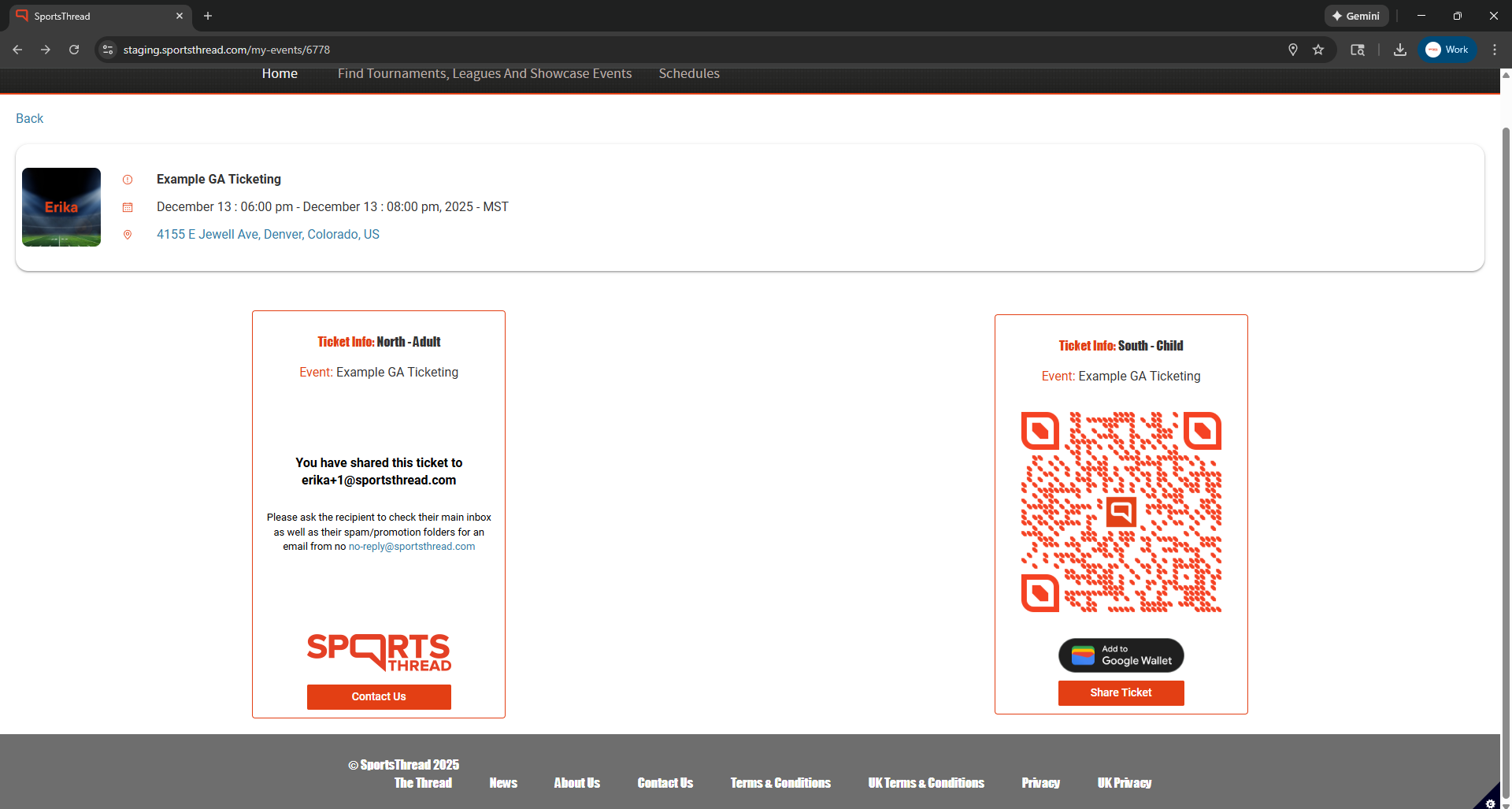
Steps to your shared ticket information:
- Login to your account in the Sports Thread app or online at Sportsthread.com.
- Click “My Tickets” and select your event to view the tickets that you have purchased.
- For tickets that you have not yet shared, you will have the QR code and a button to share the ticket or add it to your apple/google wallet.
- For tickets that you have shared, you will see which email you sent the ticket to as well as more information on what to do if you accidentally sent the ticket to the incorrect address.
Finding a shared ticket through email:

Steps to find a shared ticket through email:
- From the email you shared a ticket to, have the recipient search for an email from no-reply@sportsthread.com.
- Have the recipient click the “View/Manage” tickets button within the email to access their tickets.
Need help?
Contact us:
customerservice@sportsthread.com
Did this article answer your question? If not please visit the main FAQ to find your question: https://info.sportsthread.com/blog
Want to learn more about Sports Thread's secure and flexible Ticketing, Age Verification, or Registration for your event? Find out here: https://info.sportsthread.com/

