

How do I View My Events?

Follow the steps below to view all of your events in the Sports Thread app or online at Sportsthread.com.
How to View Your Events online at Sportsthread.com:
Step 1:
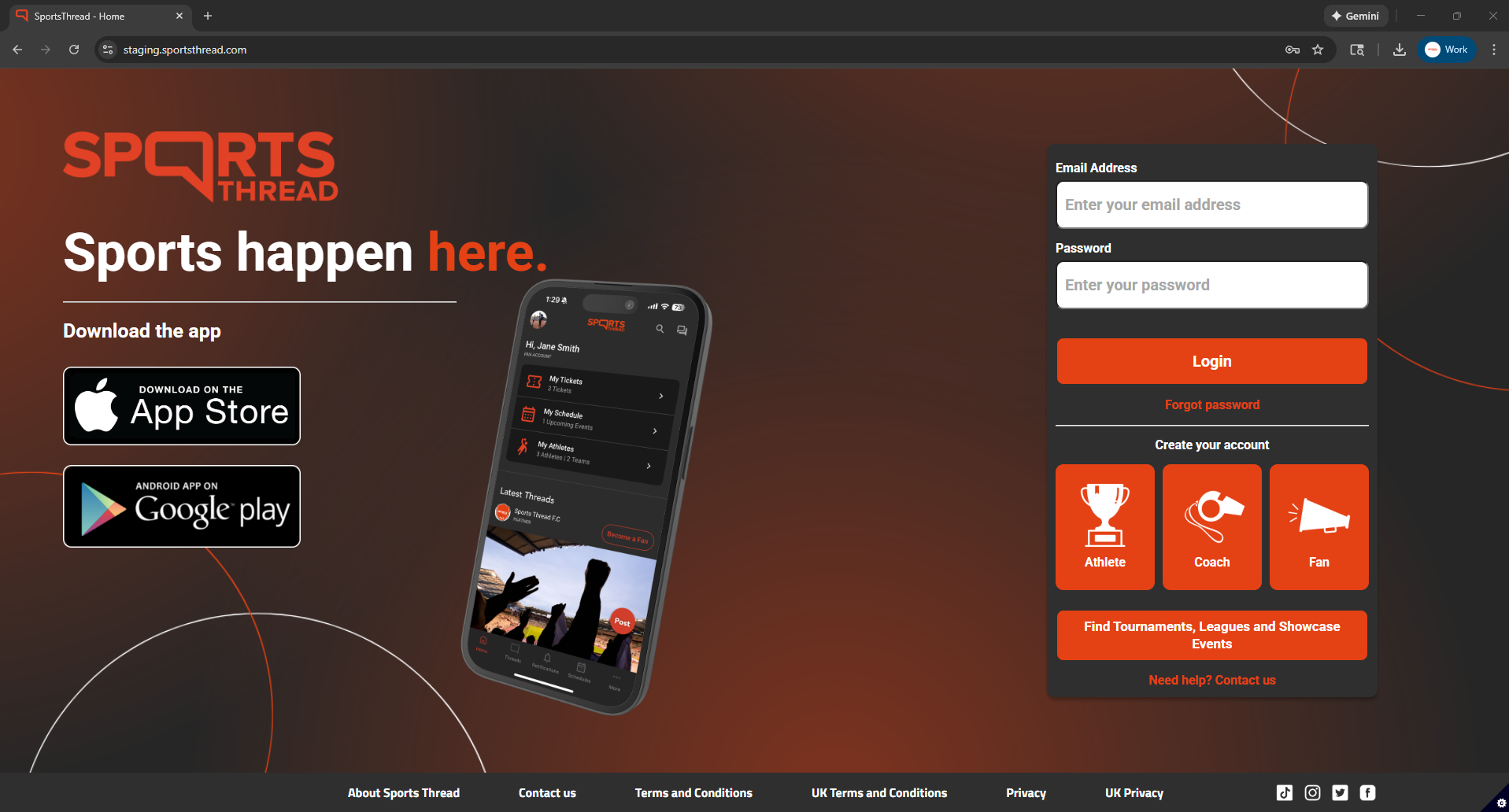
Login to your coach account at Sportsthread.com.
Step 2:
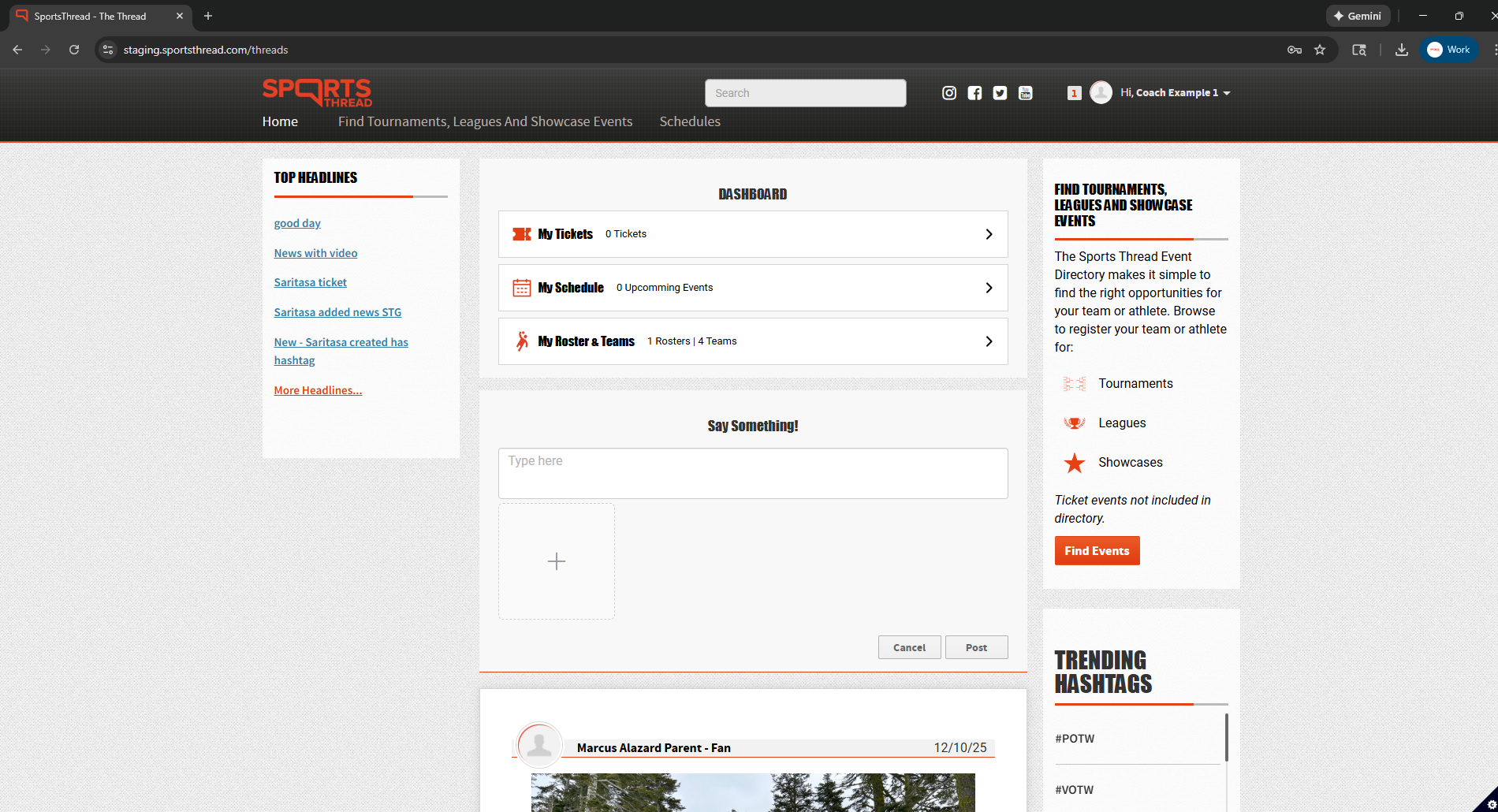
On the home page, click on “My Rosters and Teams”
Step 3:
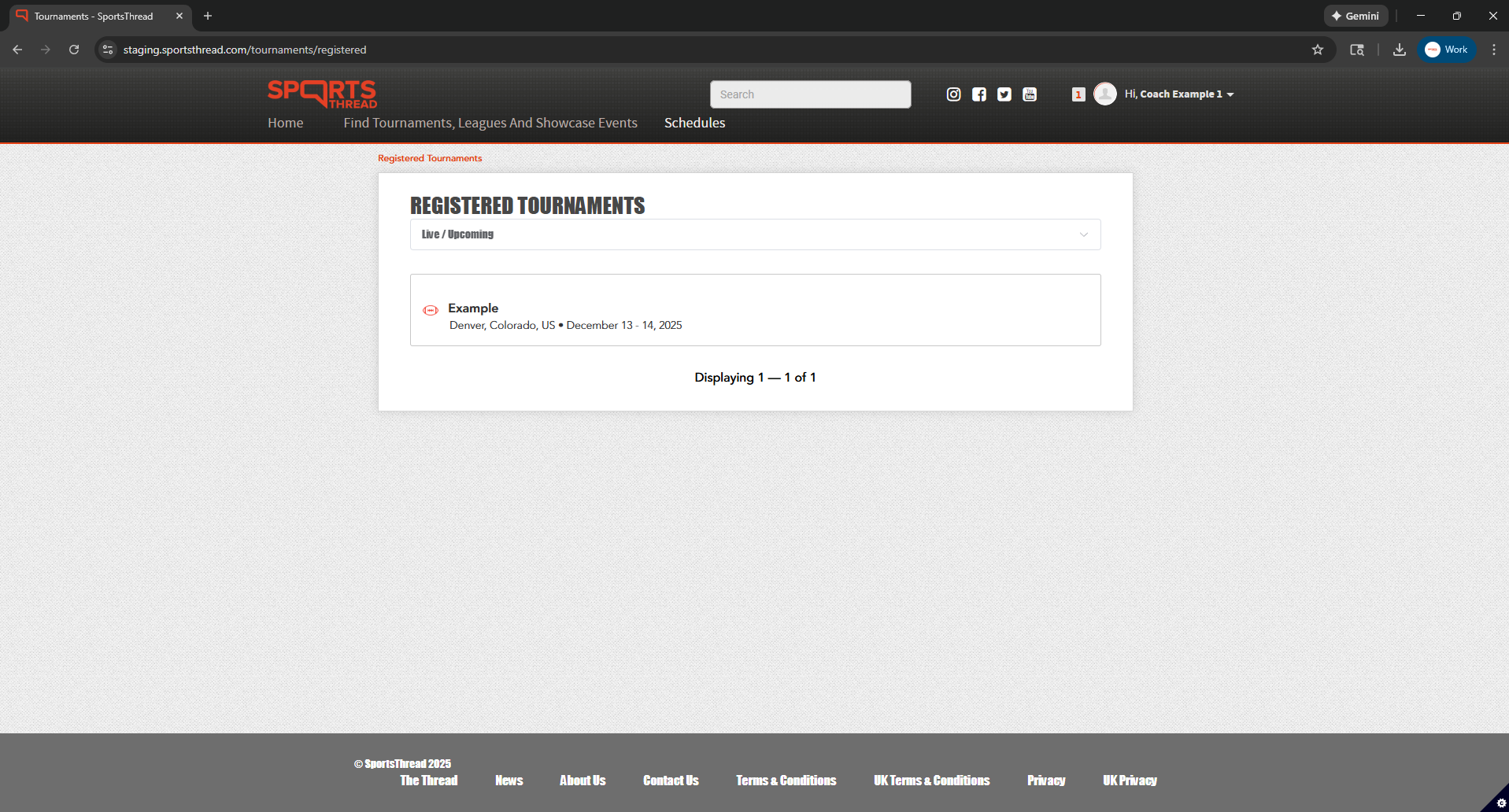
Under “Registered Tournaments” you will automatically see all live/upcoming events that you have registered for.
Step 4:
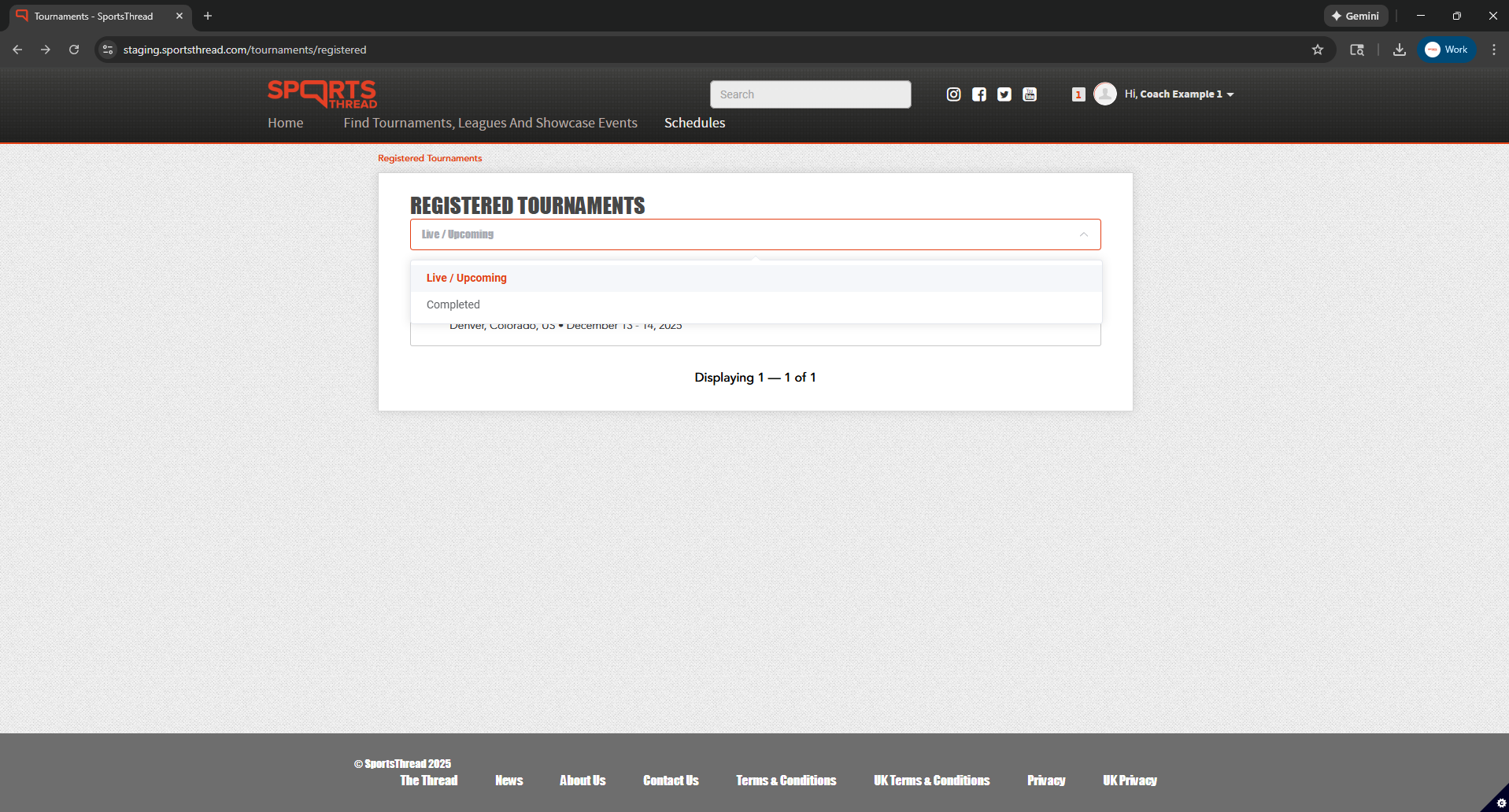
Click “Live/Upcoming” to open the dropdown filter where you can select “Completed” to filter by completed events.
How to view your events in the Sports Thread app:
Step 1:
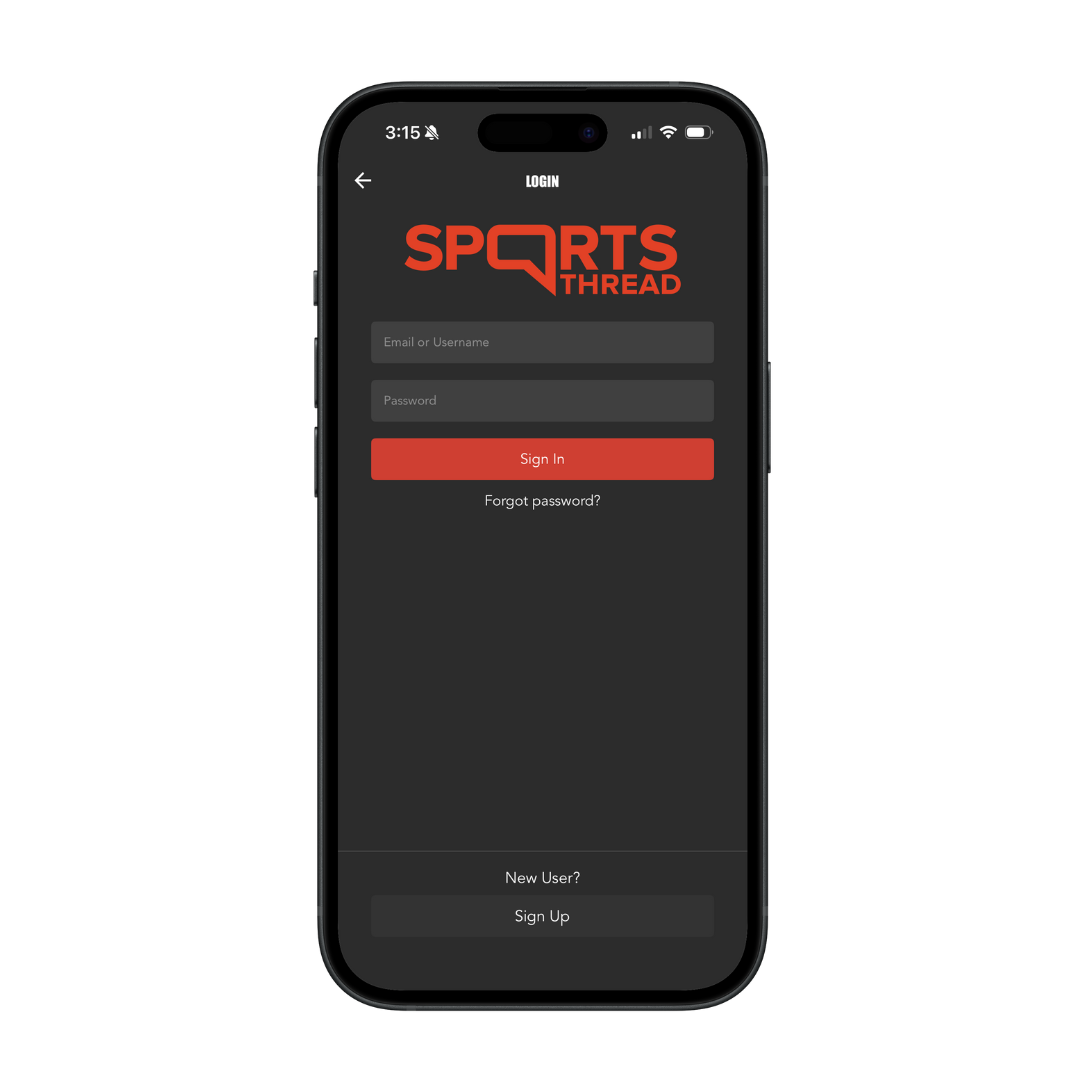
Login to your coach account in the Sports Thread app.
Step 2:
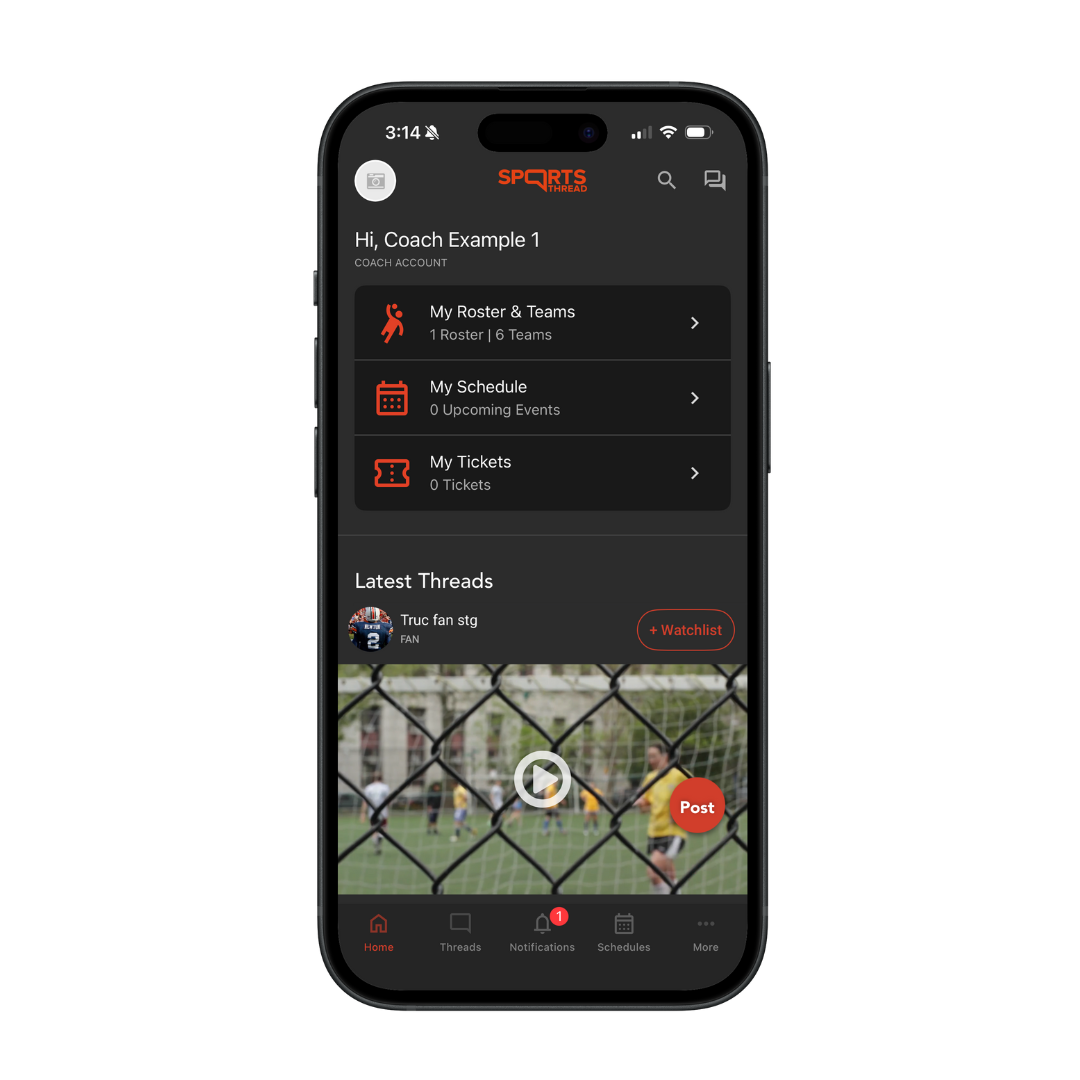
On the home page, click on “My Rosters and Teams”
Step 3:
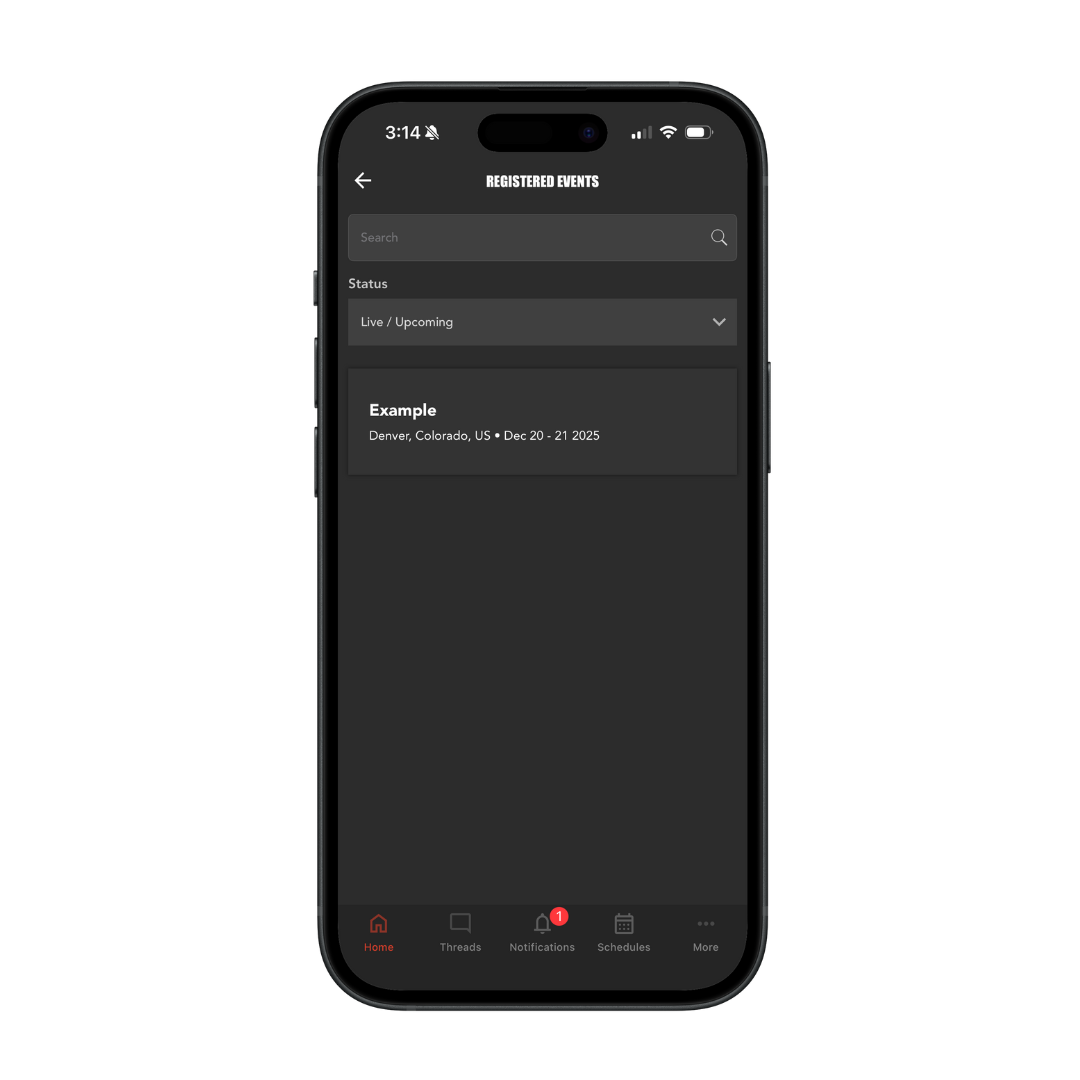
Under “Registered Events” you will automatically see all live/upcoming events that you have registered for.
Step 4:
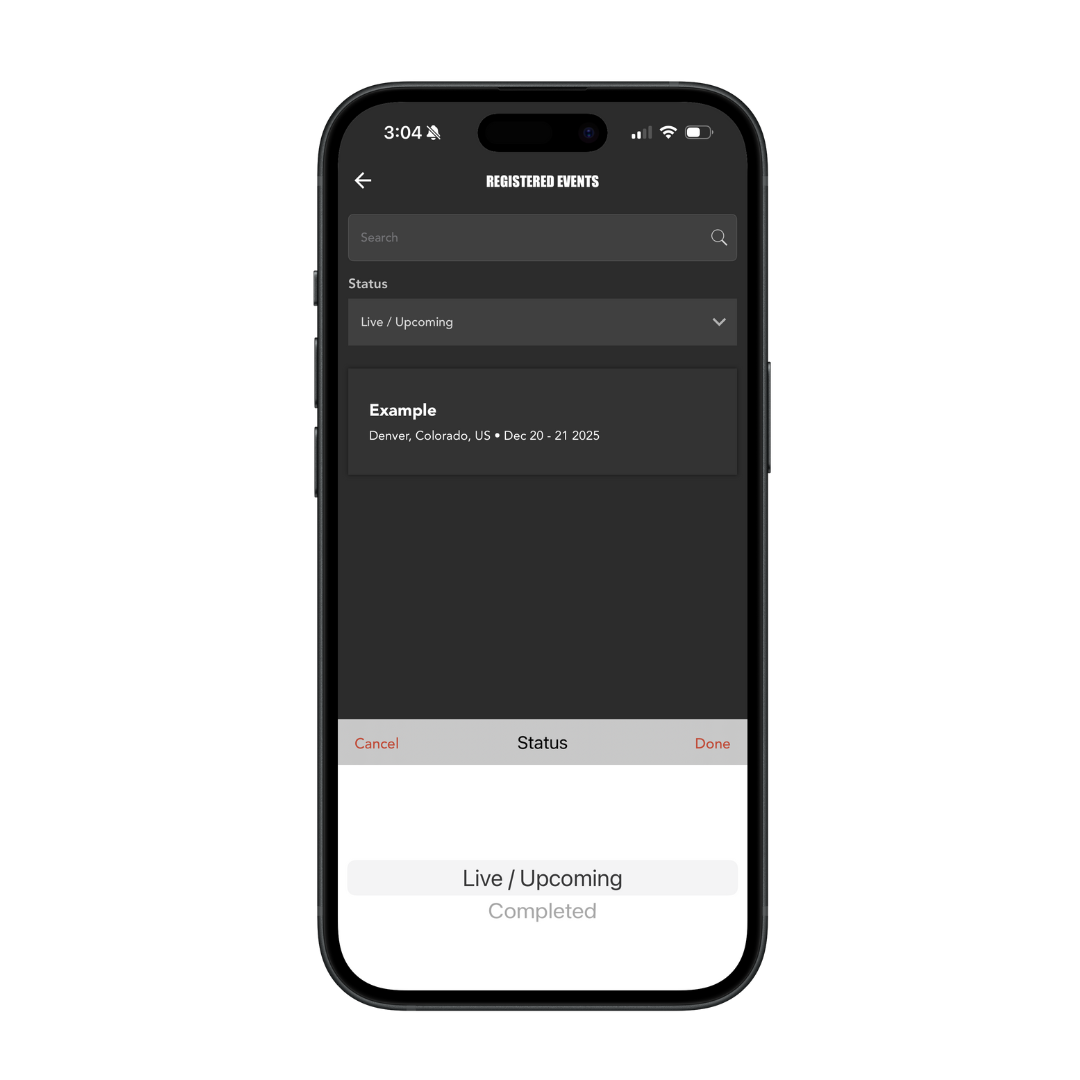
Click “Live/Upcoming” to open the dropdown filter where you can select “Completed” to filter by completed events.

