

How do I View My Roster?

Follow the steps below to view your roster in the Sports Thread app or online at Sportsthread.com.
How to view your roster at Sportsthread.com:
Step 1:
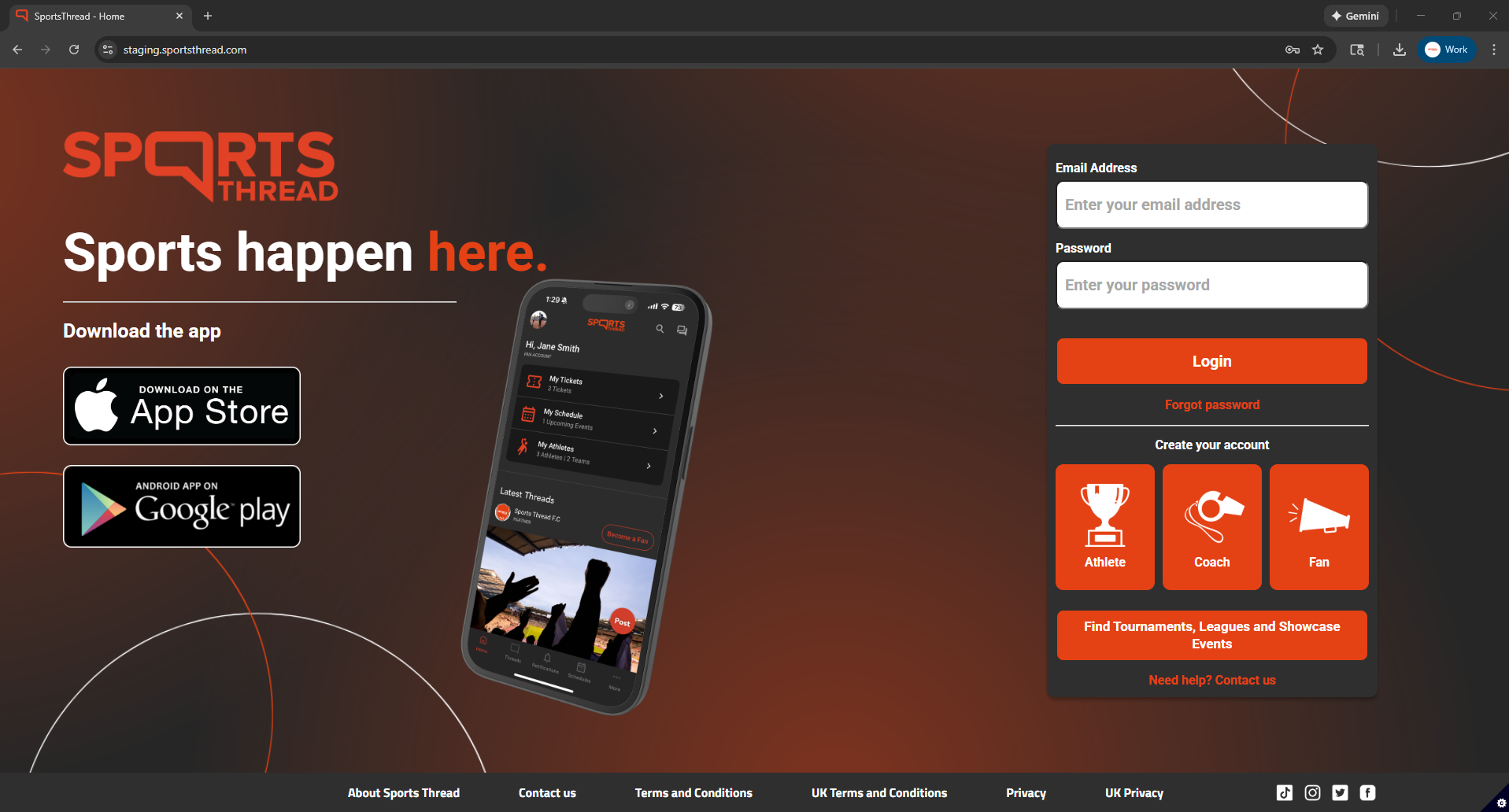
Login to your coach account at Sportsthread.com.
Step 2:
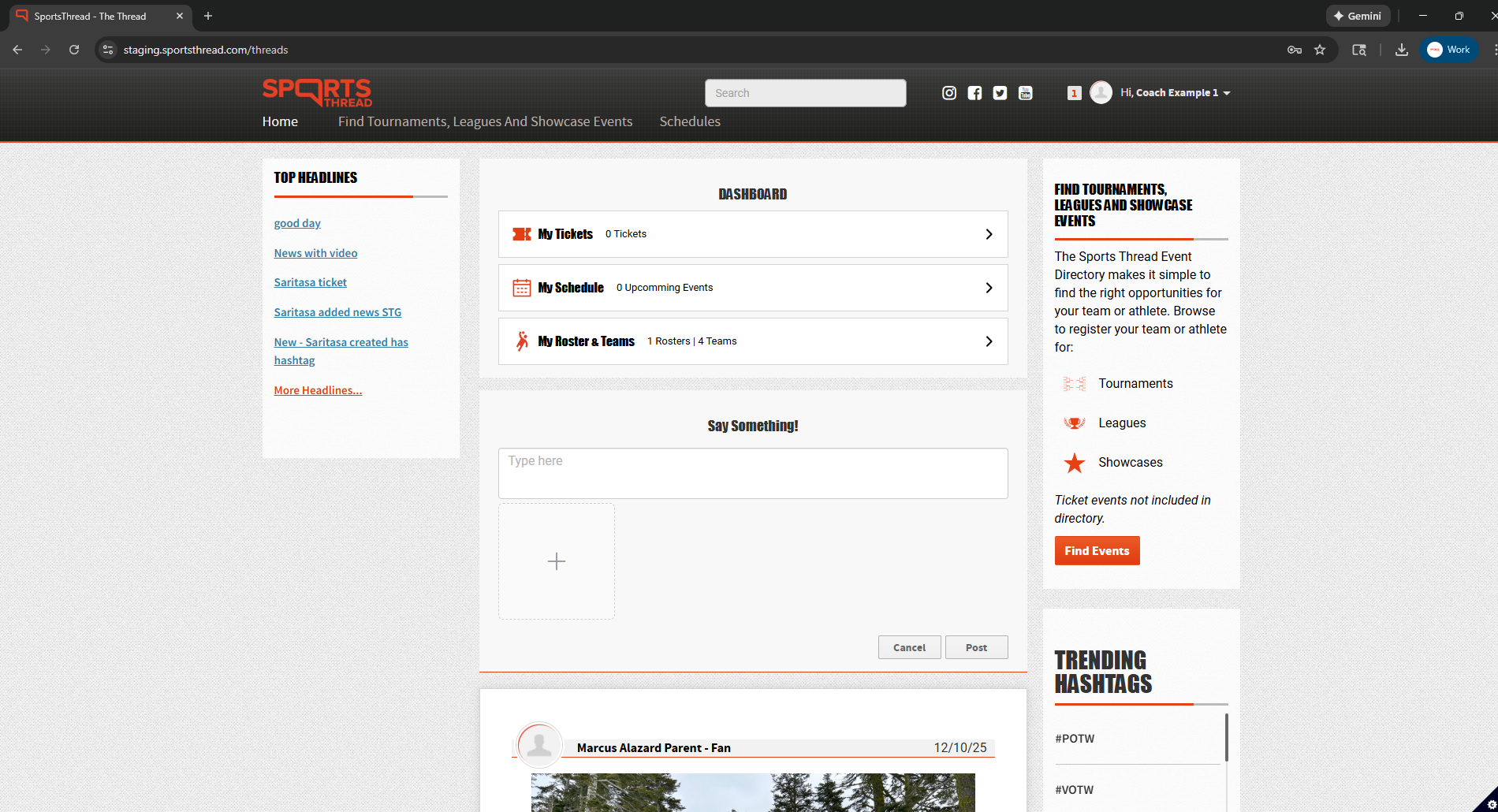
On the home page, click on “My Rosters and Teams”
Step 3:
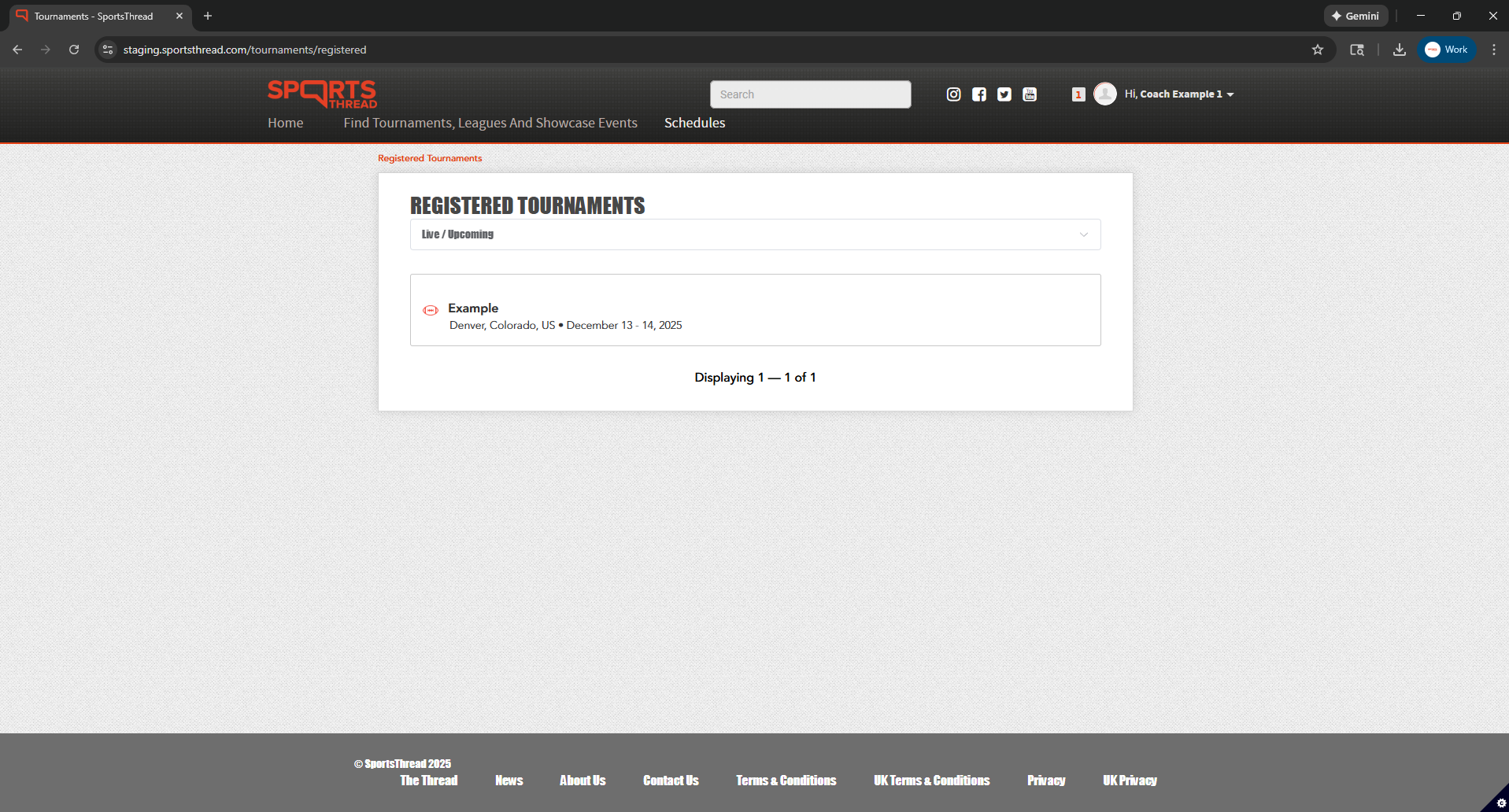
Click the name of the event that you registered your team for.
Step 4:
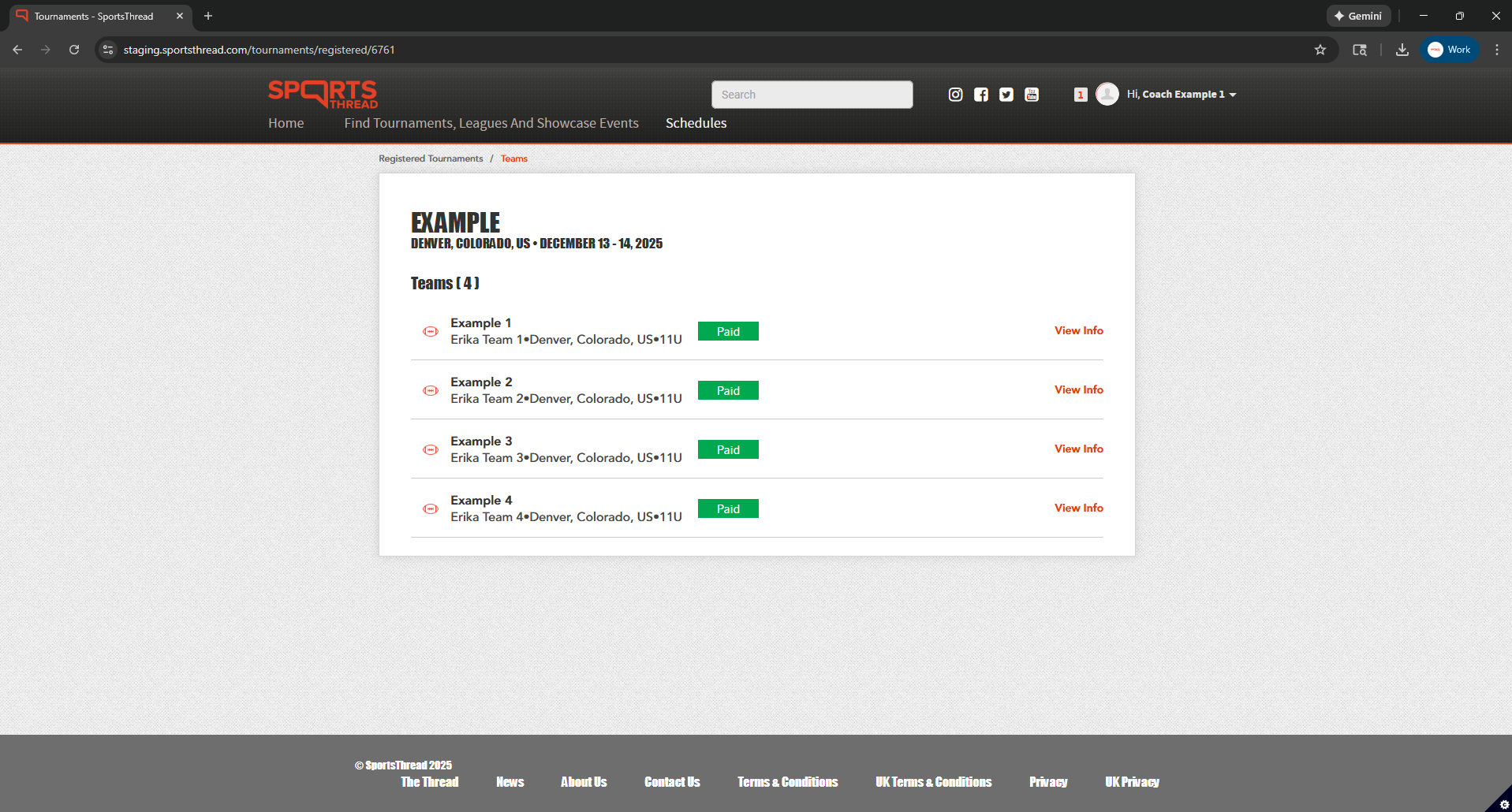
Click “View Info” next to the team you want to view the roster for.
Step 5:
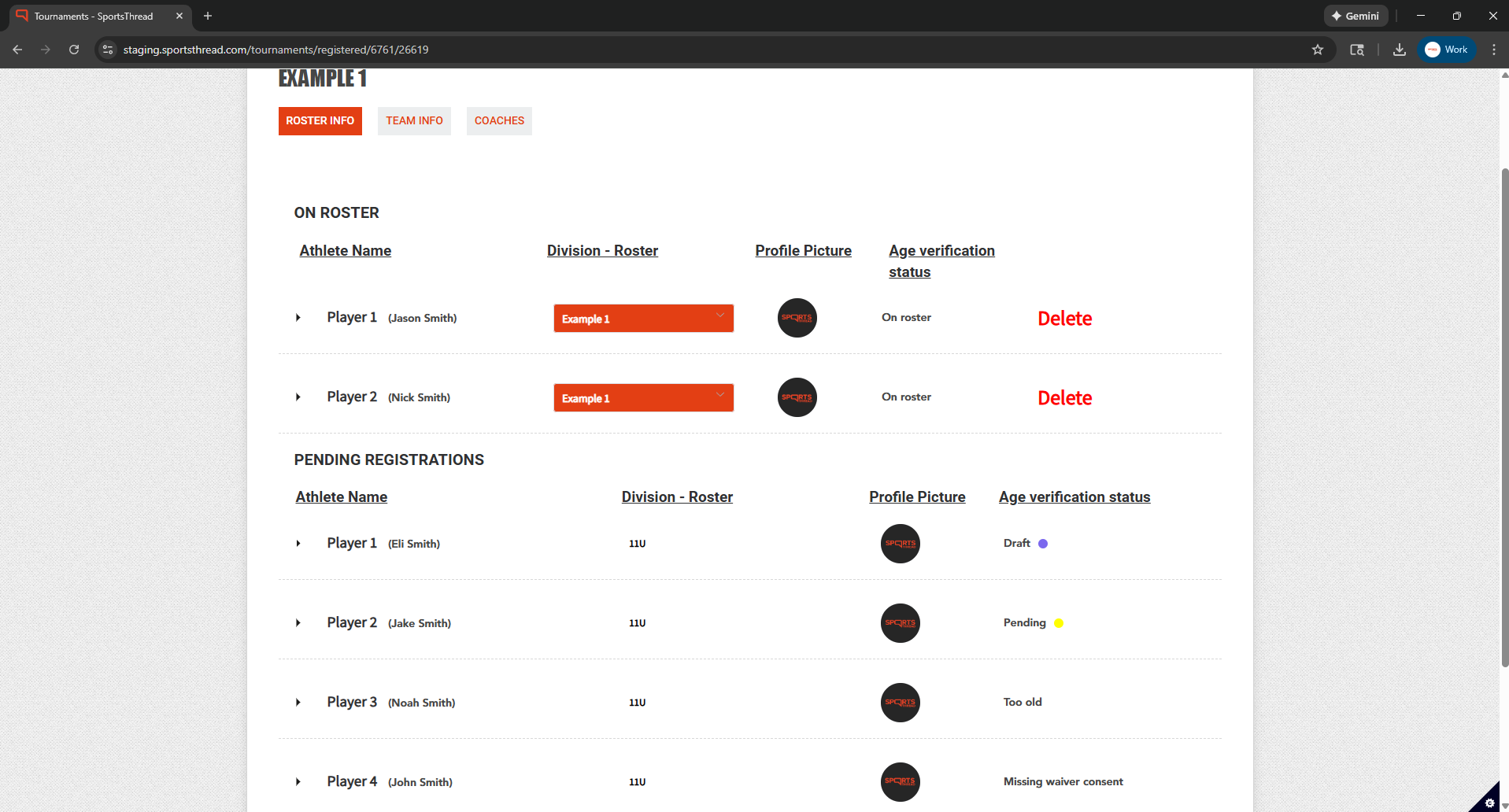
Under “Roster Info” you can view all athletes and their statuses. Click the dropdown arrow to view more in depth information.
How to view your roster on the Sports Thread app:
Step 1:
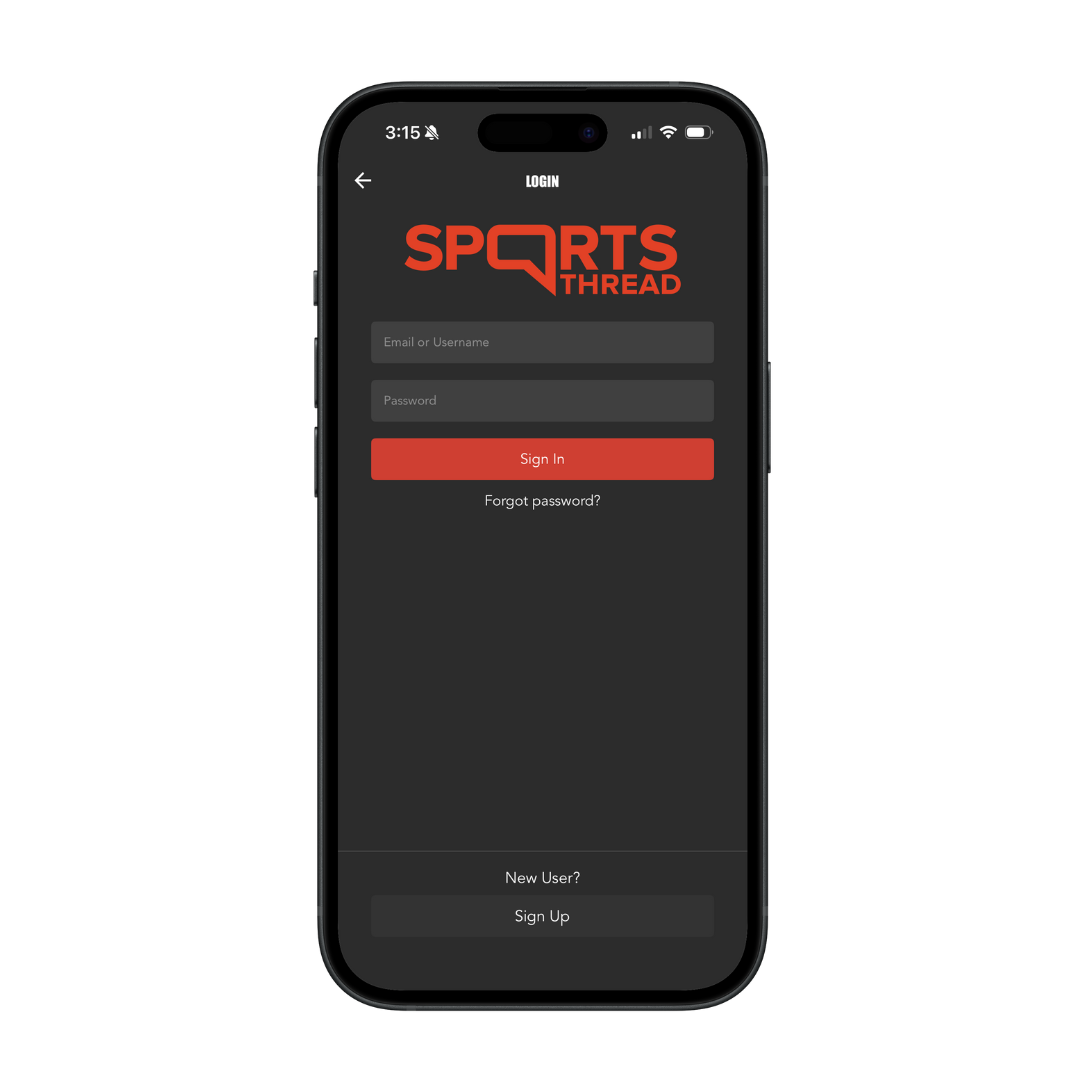
Login to your coach account in the Sports Thread app.
Step 2:
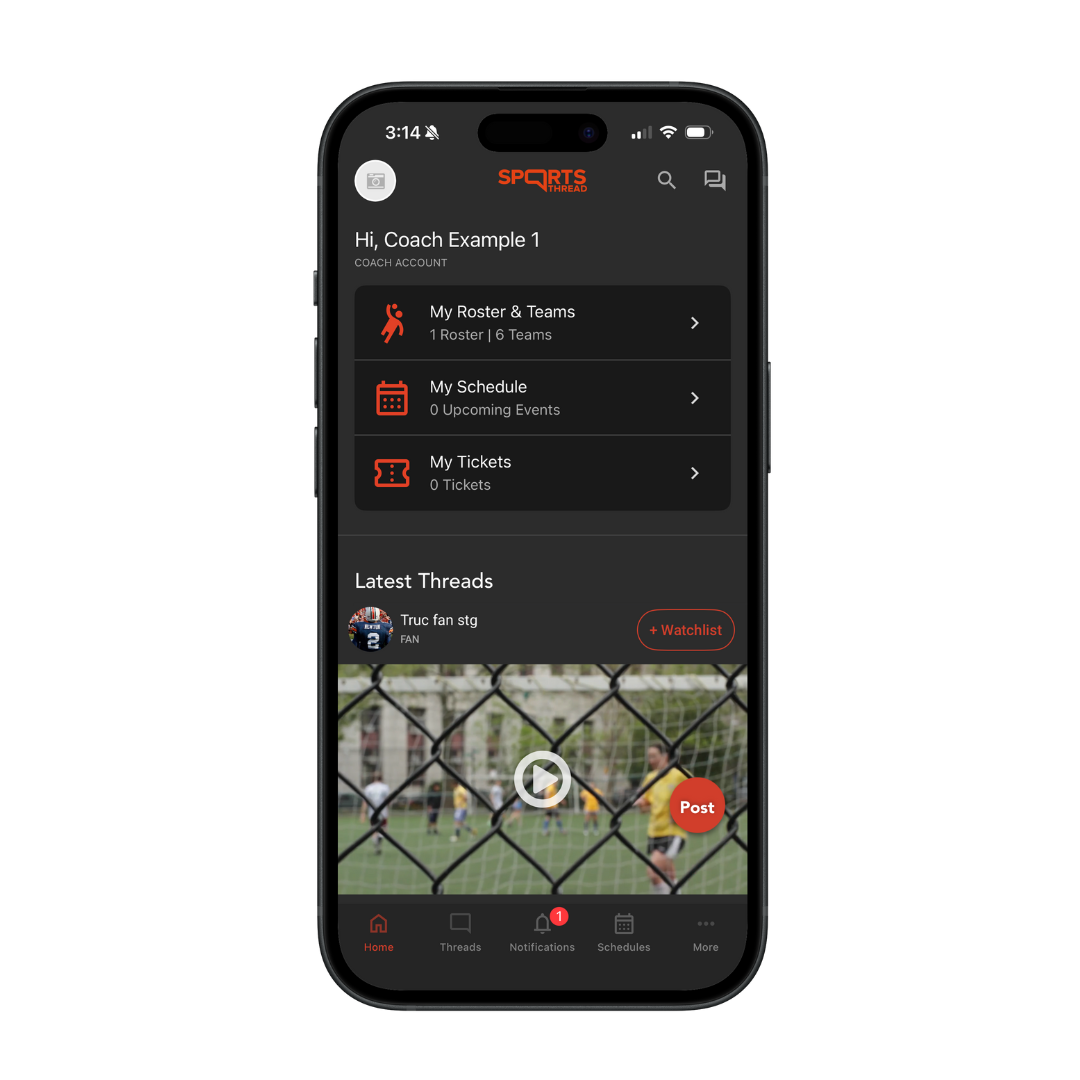
On the home page, click on “My Rosters and Teams”
Step 3:
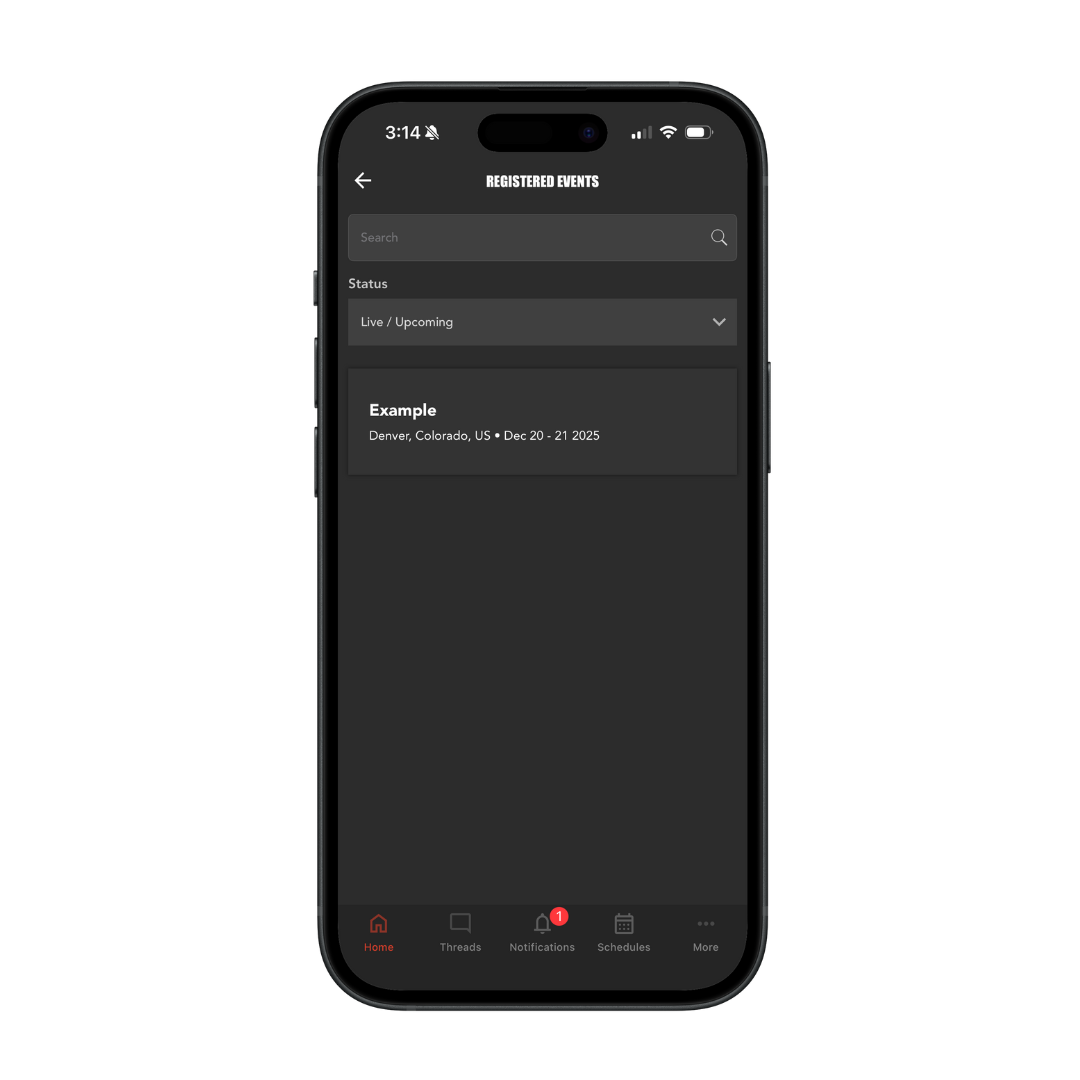
Click the name of the event that you registered your team for.
Step 4:
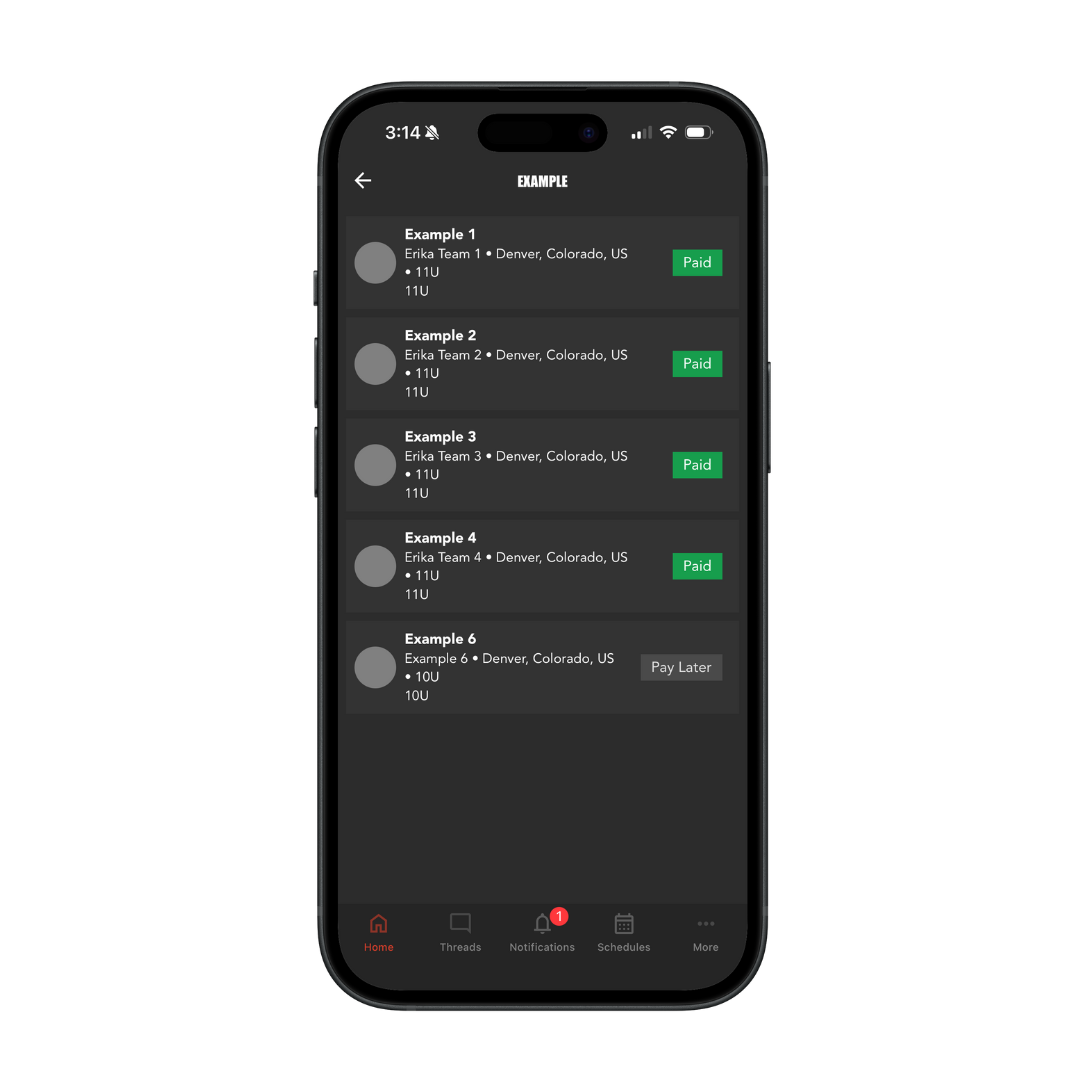
Click the name of the team you want to view the roster for.
Step 5:
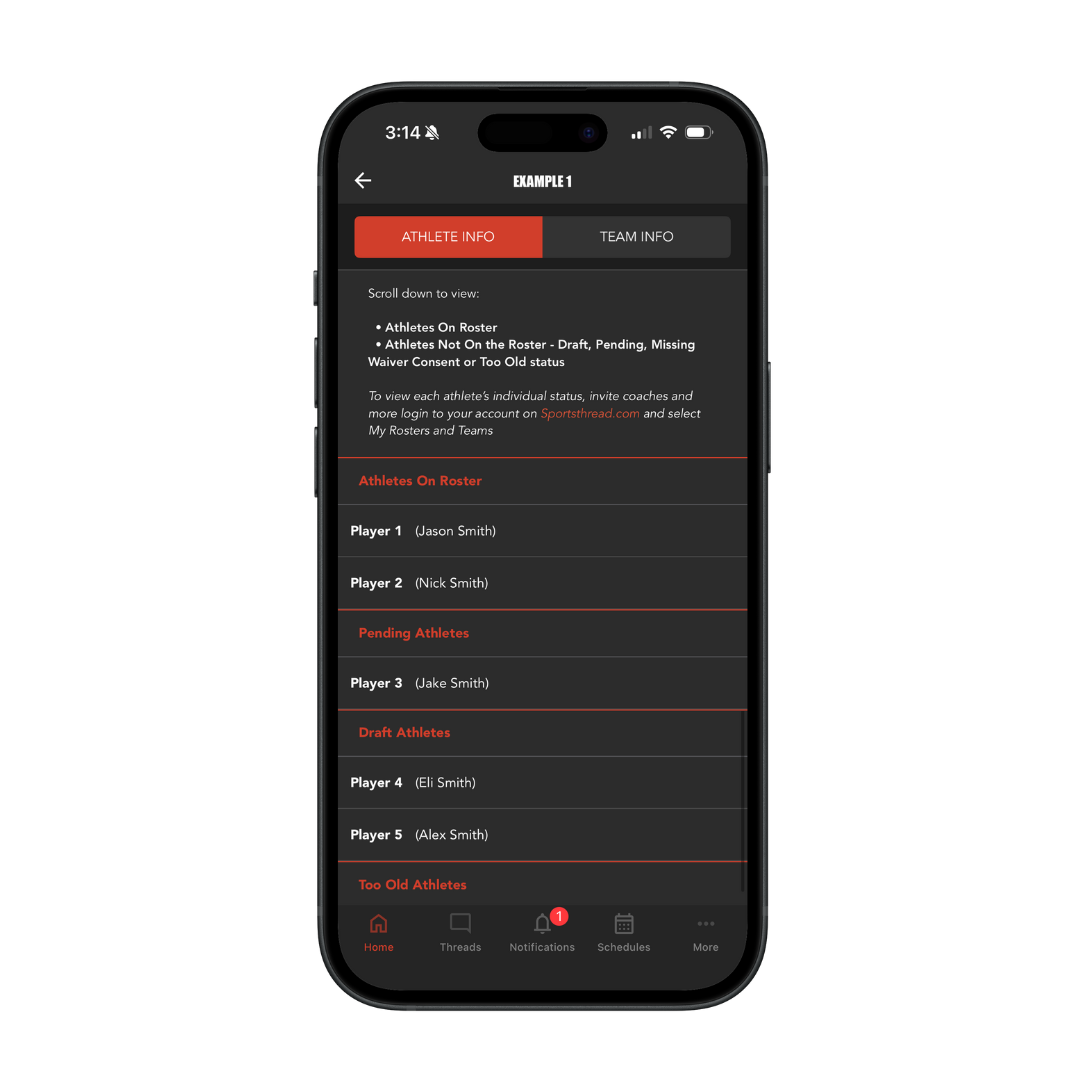
Under “Athlete Info” you can view all players on your roster as well as their statuses.

